
That’s why the WordPress vs Wix debate keeps showing up, especially for small and mid-sized businesses that want a dependable online presence. Both platforms can make websites that look nice. Both let you publish content, add pages, and run a business online. But once you step past the “pretty” part, the differences start mattering a lot more.
The real question isn’t really which one is “better” overall; it’s which one fits your business goals, your budget, your marketing plans, and your long-term momentum. A website isn’t just a design project anymore; it touches SEO, lead creation, conversions, speed, expansion, and even how easily you can adjust your business later on.
This guide lays it all out in a clean way so you can choose based on practical needs, not the usual marketing hype.
Understanding the Core Difference Between Wix and WordPress
Wix and WordPress approach website building very differently, and that affects almost everything later.
Wix is a closed platform. Everything is handled inside their system — hosting, templates, updates, design tools, and security. That makes setup easier because most things are already built in.
WordPress works differently. It gives you much more control, but you are responsible for managing hosting, themes, plugins, and maintenance yourself or through a developer.
That difference matters because ease and flexibility rarely come together perfectly. Simpler systems usually limit customization. Flexible systems usually require more management.
This is the main reason the Wix vs WordPress comparison depends a lot on what kind of business you are running, and how much control you want in the long run, because you know plans change.
Ease of Use: Which Platform Is Simpler for Beginners?
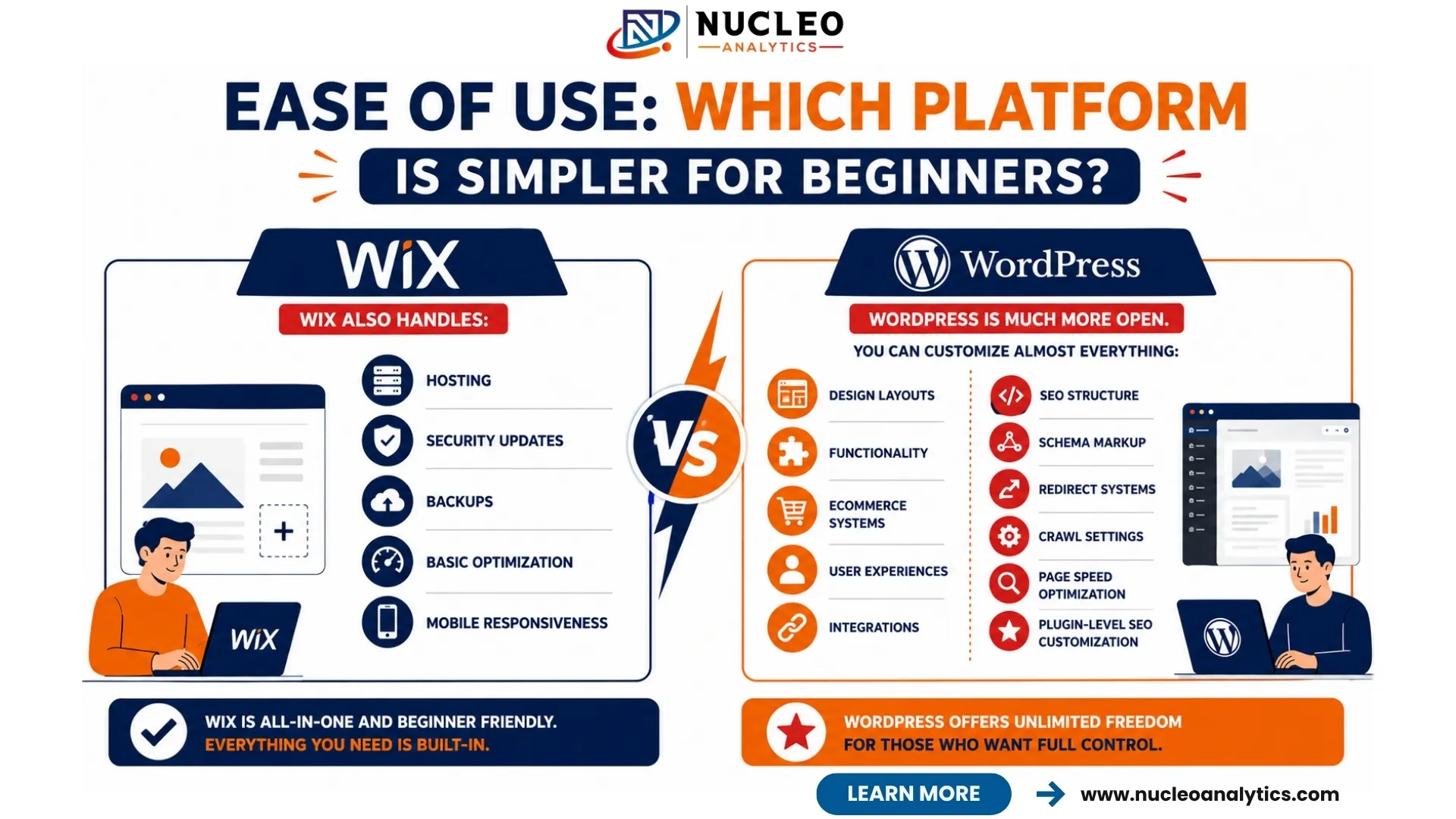
Wix feels easier for beginners. Like, honestly, there’s not much debate there.
The drag-and-drop builder is pretty straightforward, visual, and beginner-friendly. You can put together pages, move sections around, and get a website live pretty quickly without needing any technical background. For someone building their first site, that simplicity feels comfortable.
Wix also handles:
- Hosting
- Security updates
- Backups
- Basic optimization
- Mobile responsiveness
That removes a lot of technical pressure.
WordPress kinda has this steeper learning curve, because there are more moving parts, you know. You have to pick hosting, install plugins, keep up with updates, and at times, deal with the random little troubleshooting stuff that shows up.
Still, WordPress actually feels easier after you grasp the basics. The first setup usually takes longer, but later you get way more flexibility, and it tends to be stronger in the long run.
If you are looking for the best website platform for a small business, a lot of them begin with simplicity at first. But long-term scalability should also matter just as much, not only what’s quick today.
Design Flexibility and Customization
This is where WordPress starts to pull ahead pretty clearly.
Wix templates look nice, and they’re straightforward to use. But eventually, customization gets kinda boxed in. Then, when a business expands and needs more than the basics, like deeper functionality, advanced integrations, or custom workflows, Wix can start feeling restrictive.
WordPress is much more open.
You can customize almost everything:
- Design layouts
- Functionality
- Ecommerce systems
- User experiences
- Integrations
- SEO structure
There are thousands of plugins and themes available, which allow businesses to scale much more freely over time.
For example, if your business later wants:
- Membership systems
- Advanced booking tools
- Multi-location SEO pages
- CRM integrations
- Custom lead funnels
WordPress handles these situations much more smoothly.
This becomes especially important when evaluating Wix vs WordPress for business website scalability instead of just short-term convenience.
SEO Capabilities: Which Platform Performs Better?
SEO is one of the biggest deciding factors for business websites, because visibility impacts traffic and leads, basically.
A few years ago, Wix had a weak reputation for SEO. They improved a lot over time, but WordPress still provides deeper control overall.
When you compare Wix SEO vs WordPress SEO, the biggest difference really comes down to flexibility and technical control, in the end.
With WordPress, you can control :
- URL structures
- Schema markup
- Redirect systems
- Crawl settings
- Page speed optimization
- Plugin-level SEO customization
That level of control matters more for businesses heavily investing in SEO long term.
Wix handles basic SEO reasonably well now, especially for smaller websites. But once advanced optimization becomes necessary, limitations appear more quickly.
This is especially important for businesses investing heavily in:
- Content marketing
- Local SEO campaigns
- Blog scaling
- Multi-page service structures
- Ecommerce SEO
The stronger your SEO strategy becomes, the more valuable WordPress flexibility usually feels.
Technical SEO and Website Performance
This section matters more than most business owners realize. Good technical SEO helps search engines crawl, understand, and rank your website, and it’s like a strong backbone for the whole structure. Even small technical troubles can damage your visibility over time, while the content is still really good.
WordPress gives much stronger technical control overall because developers can optimize:
- Site speed
- Code efficiency
- Caching systems
- Image compression
- Structured data
- Core Web Vitals
Wix handles many technical settings automatically, which is convenient but also limiting. If deeper optimization becomes necessary later, businesses often feel constrained. This doesn’t mean Wix websites cannot rank. They can. But WordPress generally gives more room for advanced optimization as websites grow larger and more competitive.
Content Marketing and Blogging Capabilities
Businesses relying heavily on content marketing usually perform better on WordPress long-term.
The blogging system is simply more advanced and flexible. Managing categories, internal linking, large content libraries, and SEO plugins becomes much easier over time.
This matters because many businesses now rely heavily on content to:
- Build authority
- Capture search traffic
- Support lead generation
- Improve brand visibility
Wix blogging tools are decent for smaller sites, but scaling content operations becomes harder compared to WordPress.
If your business plans to invest seriously in SEO, content publishing, or even linkbuilding for small businesses, WordPress generally provides stronger long-term support.
Ecommerce Capabilities
Both platforms support ecommerce, but again, the scale matters.
Wix works fine for smaller stores with limited products and simpler requirements. It’s easier to launch quickly and manage basic ecommerce features.
WordPress, especially with WooCommerce, becomes much stronger for larger or more customizable ecommerce operations.
WordPress handles:
- Advanced product structures
- Subscription systems
- Complex shipping setups
- Third-party integrations
- Large inventories
Businesses planning long-term ecommerce growth usually prefer WordPress because flexibility becomes more important over time than initial simplicity.
Not sure which platform will actually support your SEO and lead generation goals?
Website Ownership and Platform Control
This is an area many business owners overlook initially. With Wix, your website lives entirely inside their ecosystem. Moving away later can become difficult because the platform is closed. WordPress gives much more ownership and portability because your website files, hosting, and content are fully under your control. That freedom matters because businesses evolve. Marketing strategies change. Integrations change. Platforms change. WordPress provides much more long-term independence.
Cost Comparison: Which Platform Is More Affordable?
- Hosting
- Themes
- Plugins
- Developers
Comparison Table: Wix vs WordPress
Feature | Wix | WordPress |
Ease of Use | Very beginner-friendly | Moderate learning curve |
Design Flexibility | Limited customization | Highly customizable |
SEO Control | Good basic SEO | Advanced SEO control |
Technical SEO | Limited deeper control | Full optimization flexibility |
Blogging | Suitable for smaller blogs | Excellent for large content sites |
Ecommerce | Good for smaller stores | Better for scalable ecommerce |
Ownership | Platform-controlled | Full ownership |
Plugins & Integrations | Limited ecosystem | Massive plugin ecosystem |
Scalability | Moderate | Very high |
Maintenance | Mostly handled by Wix | Requires management |
The WordPress vs Wix decision usually comes down to simplicity versus scalability.
SEO and Marketing Integration
Modern websites are not just digital brochures anymore. They are marketing systems.
That means your website needs to support:
- SEO
- Lead generation
- Conversion optimization
- Email integrations
- Paid advertising campaigns
Businesses comparing SEO vs Google Ads often forget that the website itself affects both channels heavily. A weak website reduces paid ad conversions. Poor structure hurts SEO performance. Slow pages increase bounce rates. WordPress usually integrates more smoothly with advanced marketing systems because of its flexibility and plugin ecosystem.
Local Business Websites: Which Platform Makes More Sense?
For businesses focused heavily on local SEO for small businesses, both platforms can work, but WordPress gives more flexibility long term.
This becomes especially important when managing:
- Multiple service pages
- Location pages
- Structured schema
- Review integrations
- Local content scaling
Smaller local businesses with very simple websites may feel comfortable starting on Wix. But businesses planning aggressive SEO growth often move toward WordPress eventually.
Which Platform Should Small Businesses Actually Choose?
This depends more on business goals than platform popularity. Wix usually works better when:
- Simplicity matters most
- The website is smaller
- SEO competition is moderate
- You want a fast setup without technical management
WordPress usually works better when:
- SEO is a major growth strategy
- You plan to scale content heavily
- Advanced customization matters
- Long-term flexibility is important
- Ecommerce complexity may grow
The biggest mistake businesses make is choosing based only on short-term convenience instead of long-term needs.
How We Help Businesses Build Better Websites at Nucleo Analytics
At Nucleo Analytics, we’ve worked with businesses using both platforms, and one thing becomes clear quickly — the platform itself is rarely the entire problem. The real issue is usually whether the website supports the business’s actual growth strategy properly.
A website should not just “look nice.” It should help generate leads, support SEO, improve conversions, and scale with the business over time. That’s how we approach website strategy.
Instead of blindly recommending one platform for everyone, we evaluate:
- Business goals
- SEO requirements
- Content plans
- Lead generation systems
- Scalability needs
- Marketing integrations
For some businesses, Wix makes sense initially. For others, WordPress creates far more long-term opportunities. What matters is choosing a platform that supports future growth instead of creating limitations later.
We also help businesses optimize websites beyond just design by improving:
- SEO structures
- Conversion funnels
- Technical performance
- Content architecture
- User experience
Because website performance affects much more than appearance now. The businesses growing strongest online usually treat their website like a business asset, not just a design project. That shift changes everything.
Conclusion
The WordPress vs Wix debate is not really about which platform is universally better; it’s more like which one fits better with your business goals, your growth plans, and your marketing approach.
Wix tends to win on the simplicity side. WordPress wins when you need flexibility and that long-term expansion potential.
If you’re a smaller business that just needs a quick, workable website, Wix can absolutely do the job. But if you’re thinking about serious SEO progress, more advanced marketing systems, or a bigger scale expansion, then WordPress usually ends up being the smarter pick as time goes on.
What really matters is to think beyond launch day. Not just “can we publish this”… but what happens after that.
Because your site will shape SEO, lead generation, branding, even how paid ads perform, and how easily you can scale later. Picking the right platform early helps you avoid a bunch of limitations down the road.
And that matters way more than having the prettiest template ever.