









How Website Monitoring Prevents Downtime and Traffic Loss
If you’ve ever opened your site one random morning and it just… didn’t load, you know that awful stomach-dropping feeling.
Downtime hits like a punch. Customers vanish. Traffic dips. Sales evaporate. And the worst part? You usually don’t notice until hours later, when the damage is already done.
This is exactly why website monitoring matters so damn much. Not just for big companies with giant IT teams, but for literally any business that depends on online visibility, from a solo blogger to an SEO agency, an ecommerce store, or even a freelancer with a personal portfolio.
And yet, people treat website monitoring like some “extra” technical luxury.
No, it’s one of the most important guards your site has.
This guide walks through the real reasons website monitoring prevents downtime and traffic loss, how it works, what tools you should actually care about, and how to keep your site from quietly sabotaging itself behind the scenes.
Let’s break it down.
Why Website Monitoring is Not Optional Anymore
Downtime is more than “site down for a few minutes.”
It’s a chain reaction.
- Lost visitors
- Lost conversions
- Dropped rankings
- Google crawling errors
- Bad user experience
- Customer complaints (the kind that make you question your life choices)
People don’t wait. If your site is slow or down, they click away faster than you can say “please refresh.”
And honestly, the internet is harsh. A user may not come back after a bad experience, even if the issue was temporary.
This is where website monitoring steps in quietly, watching your site 24/7, catching problems before humans do.
What Exactly Is Website Monitoring?
Website monitoring is a system that continuously checks your website for:
- Uptime (is it available?)
- Performance (is it slow today?)
- Server health
- Broken pages
- SSL issues
- Redirect problems
- Core Web Vitals
- Script failures
- Third-party app problems
Think of it like the “health tracker” for your website.
You get alerts the moment something breaks, slows, or looks suspicious.
Some businesses treat monitoring like insurance:
You hope you don’t need it, but when you do… you’re damn glad it’s there.
How Website Monitoring Helps Prevent Downtime
Let’s go deeper. Not surface-level fluff, but real stuff that affects your ranking and revenue.
1. You Get Immediate Alerts When Something Breaks
Simply: it is one of the largest causes of websites going down.
Until a customer complains, nobody knows that the site is down.
Monitoring tools request your site on a periodical basis, every few seconds or a few minutes.
When your server goes dead, your phone/email/Slack is full of notifications.
This alone can cut downtime from hours to minutes.
2. Monitoring Spots Slow Loading Before it Becomes a Crisis
A website doesn’t just collapse out of nowhere.
It often starts slowing down first.
- Slow = warning sign
- Slow = traffic drop
- Slow = SEO decline
Most site owners don’t open their own website daily.
Monitoring does it for you and flags:
- Slow hosting
- Heavy scripts
- Failing plugins
- CDN delays
- Page bloat
- Traffic spikes your server can’t handle
Catching this early can save your rankings from tanking.
3. Monitoring Keeps Google Happy
Google doesn’t like unreliable websites.
It doesn’t like crawling broken links.
It doesn’t like pages timing out.
When Googlebot keeps hitting error pages, it reduces crawl frequency.
Fewer crawls → slower indexing → weaker ranking potential.
Website monitoring makes sure you know:
- If Google is seeing errors
- If your hosting is choking
- If the response time is unstable
- If indexing suddenly drops
For any SEO agency or marketing team, this is basically survival-level data.
4. You Avoid Revenue Loss from Peak-Hour Crashes
The worst downtime always happens at the worst moment:
- A holiday sale
- An ad campaign day
- Viral traffic spike
- Email blast
- Product launch
Monitoring tools detect increased load and warn you before the server crashes like a toddler after too much sugar.
5. Monitoring Detects Security Issues Early
A hacked site isn’t always obvious.
Sometimes the homepage loads fine, but internal pages are corrupted or injected with junk scripts.
Good monitoring tools alert you when:
- Files change unexpectedly
- Malware is detected
- SSL certificate issues appear
- Weird scripts load
- Suspicious redirects happen
These early warnings prevent full shutdowns later.
Practical Tools You Should Use
Here’s a simple list — not fancy, just what actually helps:
- Uptime Robot – Basic uptime checking
- Pingdom – Performance insights + real alerts
- Google Search Console – Crawl issues
- GTmetrix – Speed diagnostics
- Cloudflare – Security + load optimization
- StatusCake – Detailed uptime reports
- New Relic – Deep server and app monitoring
Use any combination, depending on your budget and how much pain you’re willing to tolerate before fixing issues.
How Website Monitoring Protects SEO
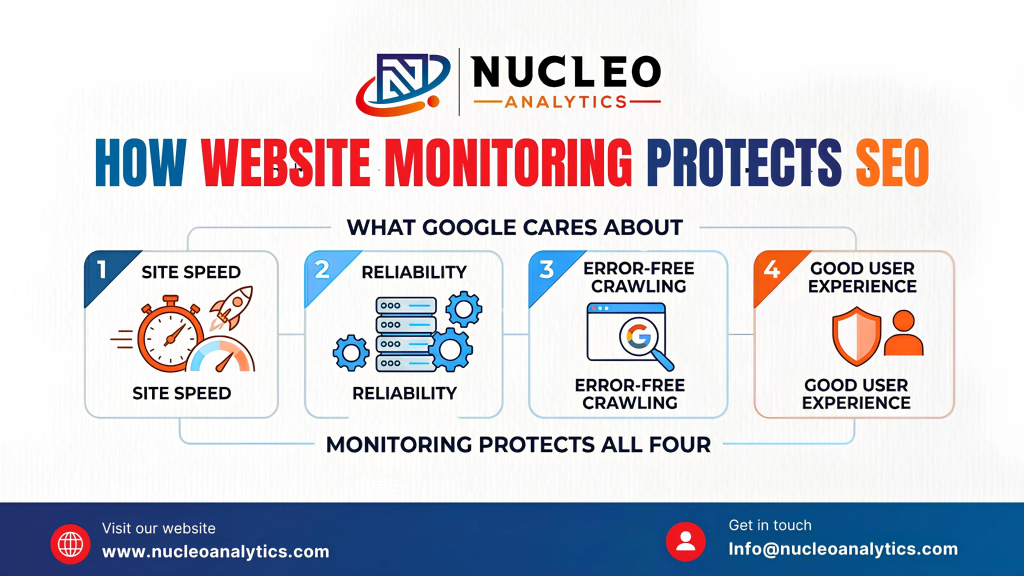
Google cares about:
- Site speed
- Reliability
- Error-free crawling
- Good user experience
Monitoring protects all four.
When your site goes down repeatedly, Google assumes you’re unstable.
You drop in rankings behind competitors who simply stay online more consistently.
When your pages become slow or misconfigured, monitoring lets you fix problems before Google drops your Core Web Vitals.
If you’re a marketing team, SEO agency, or business owner trying to outrank competitors, website monitoring is basically armor.
If you don’t want to babysit your site 24/7, you can hand off the monitoring to experts. Nucleo Analytics offers tech-backed support, maintenance, and uptime safeguarding so you can stop stressing over breakdowns.
The Hidden Stuff Website Monitoring Catches
Monitoring isn’t only about downtime. It catches dozens of “silent killers”:
1. Broken API Connections
Website monitoring picks up broken API connections long before they turn into angry customer messages. Payment gateways can stop responding, shipping calculators may fail during checkout, or CRM/ERP integrations might quietly throw errors. None of these issues always breaks the entire website, but they absolutely break revenue. Monitoring detects these failures instantly, so you don’t lose sales without even realizing what went wrong.
2. Plugin/Theme Updates Gone Wrong
An update of a plugin or theme may seem to be an innocent thing, and one incompatible change can ruin your design, turn the buttons off, or cause entire pages to cease to load. This normally occurs during the most inappropriate moment when one is asleep or offline on their laptop. Tracking notifies you when a page becomes inactive or loads improperly, and then you can correct the error before users get into a mess.
3. DNS Issues
One such problem that does not manifest itself until the time your website is no longer available on the internet is your DNS problems. Even the tiniest error in DNS settings, a malfunctioning update of the nameserver, or slow propagation can put a site offline for hours. Monitoring will detect these DNS failures immediately and alert you, so you will not be left wondering why your site is not available or why traffic has stopped without any explanation to you.
4. SSL Certificate Expiring
The expiration of the SSL certificates is much more widespread than one may believe. A single renewal failure and your site displays a large warning that you are not a secure site, and immediately sends the user away. Keeping your eyes on your SSL and notifying you when the condition expires is a way of ensuring you do not lose traffic, trust, and even customers.
5. Hosting Problems
This is because sometimes it is not your site but your hosting company. Servers may slack, flood, or even momentarily fail, making your site laggy or/and unavailable. These hosting-side problems can be monitored by tracking response times and server behavior, and this way, you can know immediately whether it is your problem or theirs.
Building a Website Monitoring Strategy
By designing an adequate web monitoring system, you will not have to be some kind of technical guru sitting in front of the monitor all day. You only require a clean, sensible system that monitors your site, notifies you when something is broken, and provides you with sufficient information to make smart decisions. These are the steps to creating a strategy that works without making one a full-time IT geek.
Step 1: Uptime Monitoring (Basic Requirement) set up
Begin with the easiest and most basic one: uptime monitoring. Choose any good uptime monitor, enter your site address, and choose notification options: email, SMS, Slack, or anything else you have checked the quickest. It will ping your site on a regular basis and notify you in the event that it does not respond. This alone step can save you the hrs of undetected downtime.
Step 2: Performance Monitoring Addition
Problems with performance tend to be covert, and, thus, it is essential to keep your site tracked in terms of performance speed and loading. Monitoring such aspects as load time, bloated page components, oversized images, and scripts that could slow the performance. The majority of the tools will provide you with weekly/monthly reports; reviewing them will be a habit. Any minute delays can damage standings and transactions, and that is why they should be detected at an early stage rather than when a customer complains.
Step 3: Monitor Security & SSL
In security-related issues, you can be taken down just as fast as a server crash. Protection services like Cloudflare can be considered and used along with a malware scanner to have a keen eye on the suspicious activity. Increase pre-warnings on the expiry of the SSL and alteration of the same. A single failure during the renewal of theSSL can frighten away the visitors within seconds, and the safety of the watch can be left to the surveillance.
Step 4: Track Core Web Vitals
Core Web Vitals are not suggestions by Google only, but they directly affect the placement of your site and user experience. With the assistance of Google Search Console and PageSpeed Insights, keep track of such indicators as Largest Contentful Paint, Cumulative Layout Shift, and First Input Delay. The figures will leave you with the fact of how people feel about loading your site, and not how it feels to you.
Step 5: Review Logs Monthly
In order to read logs, you are not expected to be a professional. All one needs to do is find some time during the month to scan through status updates, error logs, performance trends, and security alerts. The main things you are looking after are abnormal spikes, frequent red flags, or theatrical performance declines. A big problem can be easily avoided, and the pattern can be noticed in the future.
Step 6: Find a Responsible Person
Surveillance is not effective when there is no one listening to the notices. Designate an individual, a member of your own team, or an outsourced service, whose role is to jump on problems when they occur. When you do not have the bandwidth, you can have other companies do the monitoring workflow, such as Nucleo Analytics, which can do the whole workflow, which will ensure that nothing is lost in the cracks.
Want your site monitored without doing all the messy setup? Let Nucleo Analytics handle it for you
How Monitoring Helps Large vs Small Sites
| Business Type | Why Monitoring Matters |
| Small business | Every sale counts, downtime kills conversions |
| SEO agency | Client websites must stay healthy for rankings |
| Ecommerce store | Any cart error = instant revenue loss |
| SaaS platforms | Uptime directly affects customer churn |
| Bloggers/content creators | Traffic loss = ad & affiliate loss |
Monitoring fits every scale.
What Happens If You Ignore Website Monitoring
Here’s the unfiltered version:
- Your site will go down eventually
- You won’t know it instantly
- Users will bounce
- SEO will suffer
- Sales will slow
- Google will see you as unreliable
- Competitors will outrank you
- Security risks will sneak in
Monitoring isn’t about paranoia.
It’s about being prepared.
Final Thoughts
If your website brings in even 1% of your revenue, customer leads, brand presence, or SEO value… then monitoring is not optional.
Downtime happens whether you watch your site or not.
The difference is whether you catch it in 2 minutes or 2 hours.
Investing in website monitoring is one of those behind-the-scenes decisions that quietly keeps your business stable, professional, and trustworthy.
Do you want to stop babysitting your site?
Frequently Asked Questions
What exactly does website monitoring include, and how does it prevent downtime?
Should small businesses monitor their websites?
Will website monitoring help with search engine rankings?
How often should my website be monitored?
How do I get started with website monitoring?
Related Posts

Top Reasons to Use Go for Backend Development
The world of backend development has transformed significantly in the last decade. The old days when an app consisted of basic request/response cycles are long […]

What Pages Every Business Website Must Have?
Your business website does not have to look flashy in order for it to work. It requires a structure, it needs to be clear, and […]

How Much Does It Cost to Develop a Website?
A website is essential for any type of online presence, whether it’s a startup, an e-commerce site, or an international business. Apart from its practicality, […]

How to Build a High-Converting Website in 2026?
In 2026, a business website has to do far more than look modern. A high-converting website is built with one clear goal. Turn visitors into […]

How to Make the Website Mobile-Friendly?
In the fast-paced world of digital marketing and online business, monitoring website performance is crucial to fulfilling consumer expectations, improving their experience, and keeping them […]

SEO and Web Development: Why is it Important?
A strong online presence is essential for any organization in today’s fast-paced digital environment. Web development and search engine optimization (SEO) are two main foundations […]