

Generate more qualified leads or Sales, not just clicks, with expertly managed Google Ads Campaigns that maximize your advertizing budget, increase conversions, and help your business grow.




Trust us for growth
Happy Customers
5.0

We help set up Google Ads accounts the right way at Nucleo Analytics with clear goals, solid tracking, and a structure that actually makes sense. Once that foundation is in place, we focus on the search terms real people use when they're actively looking for what you offer.

At Nucleo Analytics, we write ads that fit naturally into the search results and speak directly to what people are looking for. We support them with extensions like sitelinks, callouts, and call options to improve visibility and guide users toward taking action.

Clicks mean nothing if pages don't convert. At Nucleo Analytics, we align ads with landing pages, tighten messaging, improve layout, and remove friction so users know exactly what to do next.

We treat the budget like it is our own. Nucleo Analytics focuses on campaigns that prove they can deliver. Waste is reduced early, and scaling only happens when performance supports it.

At Nucleo Analytics, we focus on reaching the right people, not everyone. Targeting is refined by intent, behavior, and location, then we keep keywords, ads, and landing pages aligned so everything feels relevant and performs the way it should.

We track the stuff that actually matters at Nucleo Analytics, from phone calls to form fills. We check performance regularly to see what's working, what's costing too much, and what needs to change.

Assumptions don't scale. Nucleo Analytics runs ongoing A/B testing on ads, headlines, CTAs, and landing pages to find what actually improves results.

At Nucleo Analytics, we make sure ads and landing pages work properly on mobile, where most traffic happens. We also pay attention to timing, adjusting when ads run based on when people are actually taking action.

We keep an eye on Google Ads updates at Nucleo Analytics and adjust campaigns without breaking what's already working. We're always testing, learning, and making small changes to keep results moving in the right direction.


Understand your business model, services, and target audience
Define clear campaign goals (leads, calls, sales, traffic)
Set measurable KPIs aligned with Google Ads performance
Create or audit the Google Ads account structure
Set up billing, conversion tracking, and account permissions
Connect Google Ads with Google Analytics and other tracking tools
Decide campaign types (Search, Display, Performance Max, etc.)
Build a logical campaign and ad group structure
Map keywords to tightly themed ad groups
Set up conversion actions (forms, calls, purchases)
Implement proper tracking tags and verification
Ensure the account is ready for data-driven optimization
Identify what users are actively searching for on Google
Separate informational searches from high-intent buying searches
Focus on keywords that align with your business goals
Research relevant keywords based on services, locations, and user behavior
Prioritize high intent and conversion-focused search terms
Avoid irrelevant or low-quality search queries
Group keywords into tightly related themes
Align each keyword group with specific ads and landing pages
Maintain clarity and control across campaigns
Identify terms that waste budget or attract the wrong audience
Add negative keywords to block irrelevant searches
Continuously refine keyword lists to improve efficiency
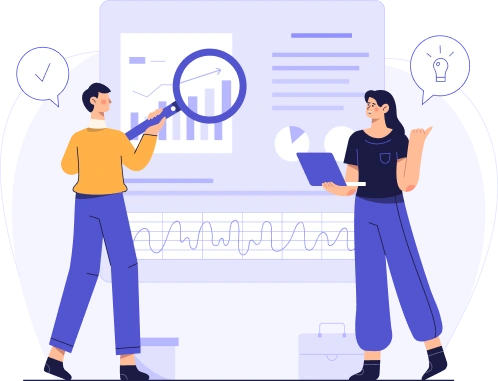

Use demographics segmentation to understand who is seeing the ad
Adjust messaging based on location, age, and search intent
Avoid generic language that does not match user expectations
Clearly state what problem is being solved
Emphasize outcomes and benefits that users care about
Build trust with concise, relevant messaging
Write headlines that closely reflect the search query
Highlight key differentiators or offers
Test variations to improve engagement and relevance
Support the headline with clear, confidence-building copy
Reinforce the value proposition without repeating the headline
Encourage action with intent-aligned messaging
Ensure ad copy stays aligned with selected keywords
Maintain message consistency between headlines and descriptions
Match ad messaging with landing page intent to avoid drop-offs
Google Ads extensions expand standard ads with extra information
They increase visibility and give users more reasons to click
Extensions help ads stand out in competitive search results
Google Ads account sitelinks direct users to specific services or pages
Sitelinks are selected based on search intent and campaign goals
Only high-value pages are used to guide users effectively
Call extensions for immediate contact
Callout extensions to highlight key benefits
Structured snippets to showcase services and offerings
Google Ads extensions improve click-through rate
Better extensions lead to higher relevance and stronger engagement
Ads become more useful without adding extra steps
Ongoing extension management:
Update sitelinks as offers, services, or priorities change
Remove extensions that no longer add value


Define the primary post-click action
Align goals with campaign intent to drive landing page conversions
Match headlines and content with search queries and ads
Maintain consistency to reduce drop-offs
Optimize above-the-fold content
Use clear CTAs and distraction-free layouts
Optimize forms, buttons, and calls to action
Minimize friction and unnecessary steps
Test headlines, CTAs, layouts, and messaging
Use results to improve engagement and conversions
Analyze the competition's landing page structure and offers
Identify gaps and improvement opportunities
Apply a data-driven conversion rate optimisation strategy
Refine pages using performance and behavior insights
Define daily and monthly spend in Google Ads
Regular monitoring to prevent overspending
Focus spending on high-intent campaigns
Shift budget toward consistent performers
Monitor spend and traffic quality
Reduce waste from irrelevant searches
Scale budgets when results improve
Apply a controlled cost control strategy
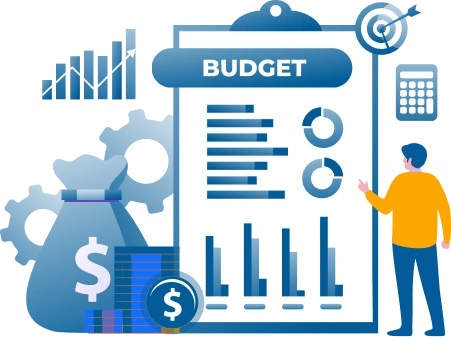

Focus campaigns on the queries most likely to convert
Precision targeting of purchase ready searches
Layer audiences based on behavior, interests, or past engagement
Retarget users who have already shown real interest
Serve ads only in areas relevant to your business
Avoid regions with poor conversion history
Ensure ad copy closely matches user search queries
Align ad copy with landing page content
Make sure the ad message is consistent with the landing page content
Reduce bounce rates by meeting user expectations immediately
Track click-through rates and interactions
Identify which ads resonate most with your audience
Optimize headlines, descriptions, and keywords for relevance
Leverage historical performance data to inform copy decisions
Pause or revise underperforming ads
Use performance data to refine targeting and messaging


Identify important actions: calls, form fills, purchases
Focus on what drives real business results
Activate Google Ads conversion tracking
Connect Google Analytics
Ensure tagging is accurate
Track conversions, cost per conversion, and ROI
See which campaigns and ads perform best
Adjust targeting, ad copy, and budgets
Allocate Budget To Top-Performing Campaigns
Check the racking setup often
Ensure new campaigns are tracked correctly
Keep an eye on clicks, conversions, CTR, and cost per conversion
Spot campaigns and ads that are really driving results
See which demographics, locations, and devices perform best
Focus your efforts on high-value segments
Compare headlines, ad copy, and extensions to see what clicks
Pause or tweak ads that aren’t resonating
Track engagement trends to guide your next moves
Move spend to campaigns that deliver the highest ROI
Cut wasted spend on underperforming campaigns
Use insights to refine targeting, messaging, and landing pages
Test changes regularly and learn what works best
Apply lessons to future campaigns for ongoing growth


Focus on headlines, CTAs, ad copy, and visuals
Start with elements that really drive conversions
Test one element at a time
Short tests for smaller campaigns, longer for bigger ones
Track results carefully to see what really moves the needle
Compare clicks, conversions, and engagement
Spot patterns that show what resonates with your audience
Roll out winning variations right away
Learn from underperforming versions for future tests
Make A/B testing an ongoing habit
Use insights to tweak ad copy, targeting, and landing pages for better results
Identify users who visited pages but didn’t convert
Separate high-intent visitors from casual browsers
Show ads reflecting prior user actions
Highlight relevant products or offers
Test different messages to see what drives clicks
Set frequency caps to avoid fatigue
Target users when they are most likely to convert
Track return visits, conversions, and cost per acquisition
Identify top-performing segments and ads
Refine campaigns based on data insights
Connect remarketing campaigns with search campaigns
Align messaging with the user journey to boost conversions


Mobile users expect fast-loading pages
Heavy images or scripts must be minimized
Buttons, forms, and CTAs must be easy to tap
Reduce friction in the conversion process
Check readability, navigation, and clickability
Observe where users drop off and adjust accordingly
Headlines and descriptions must be concise
Visuals should scale properly without losing clarity
Break down Google Ads data by hour and day
Identify when clicks turn into conversions, not just traffic
Spot wasted spend during low-intent time windows
Prioritize ad exposure during hours when users are ready to take action
Limit visibility during passive browsing periods
Increase bids during high-converting time slots
Reduce bids or pause ads during consistently underperforming hours
Some days convert better than others
Shift budget toward days that repeatedly deliver stronger results
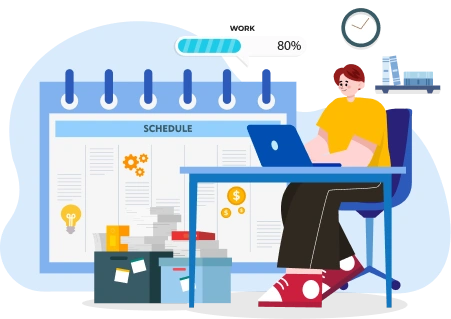

Track updates to ad formats, bidding options, targeting, and policies
Note rollout timelines and eligibility requirements
Separate feature updates from policy or enforcement changes
Check which campaigns are affected by the update
Compare pre- and post-metrics, like impressions, CPC, and conversions
Identify risks to performance or compliance
Adjust structure or settings only in impacted campaigns
Update ads and extensions to align with new formats or rules
Apply changes to a limited set of campaigns first
Confirm stability and performance gains
Roll out broadly only after results are validated
Revisit bidding and targeting logic if behavior shifts
Track clicks, conversions, impressions, and CTRs
Spot patterns and opportunities fast
Adjust based on real performance
Follow updates, new features, and best practices
Learn from industry insights and case studies
Run small experiments before scaling
Refine targeting, messaging, and bids quickly
Analyze what worked and what didn’t
Apply insights to future campaigns
Attend webinars or certifications
Share learnings to boost team expertise

Timothy Asiedu
Founder & CEO
Tom Sawyer
Owner of NJ Local Marketing, LLC
Jamil Gonzales
CEO/Owner
Brendan Minard
USA
Joseph Salpietro
CEO/Owner
Austin Patton
10K Marketing Partner
Leeron Cohen
Co-Founder & CMO
Timothy Asiedu
Founder & CEO
Tom Sawyer
Owner of NJ Local Marketing, LLC