
Why Your Business Is Not Showing in Google Maps
Many business owners search Google Maps and feel confused when their business does not appear in search results. This situation creates stress because customers cannot discover services easily online.
The main reason is usually simple and technical. Your Google Business Profile setup may lack structure, accuracy, or the trust signals Google requires. So, to optimize Google Business Profile, you must complete all details and verify your listing by keeping accurate and updated business information.
Google does not show every business automatically on maps. It evaluates multiple signals before ranking any listing. These signals include relevance, engagement, consistency, and authority.
Weak signals lower visibility and limit customer reach. Even minor issues can stop your business from appearing at all.
This blog explains the real reasons behind the missing visibility clearly. It also provides practical fixes and strategies to improve local search performance.
Why Your Business Does Not Appear on Google Maps
Google Maps uses multiple ranking signals before showing listings. Weak signals reduce visibility across search results significantly.
Major reasons include:
Missing verification process completion
- Incorrect or inconsistent business details.
- Weak category selection for listing.
- Incomplete profile setup and missing data.
- Low engagement and customer interaction signals.
- Service area configuration mistakes.
- Duplicate listings across online directories.
- Suspended or restricted business profiles.
Each issue affects ranking differently across search systems. Combined issues often remove visibility completely from Google Maps.
- Missing verification process
Google requires identity confirmation before showing listings widely. Without verification, visibility remains extremely limited.
Verification builds trust within Google systems clearly. It confirms business authenticity and ownership properly. Without verification, Google avoids showing your listing publicly.

- New listing indexing delay
New business listings take time to appear on Google Maps. Moreover, Google evaluates relevance and category before ranking profiles. This delay may last several days or weeks. During this period, visibility remains low and unstable. Google tests signals before improving ranking positions.
- Incorrect business information
Wrong business details reduce trust signals across systems. Even small errors affect ranking performance significantly.
Common issues include:
- Incorrect address formatting across platforms.
- Entering the wrong phone number in the listing.
- Mismatched business name usage online.
- Outdated or broken website links.
Consistency improves trust and ranking strength significantly.
- Duplicate listing problems
Duplicate listings confuse Google ranking systems heavily. Google struggles to decide which listing should rank higher. This splits ranking strength across multiple profiles. Visibility becomes weak across all listings.
- Profile suspension issues
Some business profiles get suspended due to policy violations. Suspended listings lose visibility completely from search.
Recovery requires the correction of issues and the reinstatement request submission.
- Incomplete business profiles
Incomplete profiles reduce engagement and ranking strength significantly. Missing information creates weak signals.
Important missing elements include:
- Business working hours information.
- Service category and description details.
- High-quality business images.
- Customer contact information.
- Website integration and links.
Complete profiles perform better in ranking systems consistently.
Want Stronger Google Maps Visibility and Customer Growth Today?
Step-by-Step Fix For Google Maps Visibility
Fixing visibility requires structured steps and consistent updates. Each step improves trust signals and ranking strength.
Step 1: Complete the verification process properly
Start with Google Business Profile verification immediately. This step unlocks full visibility features. Without verification, ranking performance stays limited.
Step 2: Fix all business information carefully
Ensure complete consistency across all platforms and directories.
Important checks include:
- Business name remains consistent everywhere online.
- Address matches across all listings and directories.
- Phone number stays identical on all platforms.
- Website link remains active and correct.
Consistency builds strong trust signals for ranking systems.
Step 3: Fix the Google Maps pin location accurately
Accurate pin placement improves the customer discovery experience. Wrong placement reduces visibility significantly. Always place the pin exactly on the real business location.
Step 4: Complete the full business profile structure
A complete profile improves engagement and ranking signals significantly. It includes:
- Business description with clear service details.
- Updated working hours and availability.
- Full list of services offered.
- Accurate contact information.
- Website link integration.
Step 5: Upload high-quality business images
Images increase engagement and build trust signals. Real visuals attract more customers and improve interaction.
You can upload:
- Storefront or office location images.
- Service process demonstration images.
- Team working environment photos.
- Product or service visuals.
Step 6: Maintain consistent weekly updates
Active profiles perform better in ranking systems. Regular updates improve visibility, strength, and engagement. Google prefers active businesses over inactive listings.
Ranking Signals That Control Google Maps Position
Google Maps ranking depends on structured signals. Each signal affects visibility differently across search results.
- Key ranking signals include:
- Search relevance matching user query intent.
- Distance from the user location in real time.
- Online prominence and authority strength.
- Customer review quality and engagement.
- Website authority and SEO performance.
- Citation consistency across online directories.
- User engagement and interaction behavior.
- Understanding ranking behavior
Google prioritizes businesses matching search intent clearly. Strong relevance improves ranking position quickly.
Distance plays a major role in local search results. Nearby businesses often appear higher in rankings.
Prominence builds trust through strong online authority signals. Understanding Google Maps ranking factors helps improve visibility strategy effectively.
- Importance of local SEO systems
Local SEO improves visibility in nearby search results significantly. Many businesses use local SEO for small business strategies to increase reach. These systems build consistent growth and customer acquisition.
- How Optimization Improves Local Search Growth
Business growth depends on structured optimization systems. Random updates rarely improve visibility effectively.
- Profile optimization importance
Strong profile improves trust, relevance, and authority signals. Using Google Business Profile optimization improves ranking performance significantly.
- Customer review system improvement
Customer reviews improve trust and engagement signals. Strong review presence increases ranking performance.
Steps to improve reviews:
- Ask customers after successful service completion.
- Share the direct review link quickly and clearly.
- Respond to all feedback professionally.
- Maintain consistent communication with customers.
Learning how to get more Google reviews improves credibility and ranking strength.
- Local SEO checklist importance
A structured local SEO checklist ensures consistency across optimization tasks.
Checklist includes:
- Profile updates and corrections.
- Image uploads and refresh.
- Review the management system.
- Citation accuracy checks.
- Website SEO alignment.
- Local SEO cost and planning
Businesses often evaluate local SEO services cost before starting optimization. However, the cost depends on the level of competition and the type of industry. So, higher competition requires stronger strategies and more effort.
- Ranking improvement strategy
Learning how to rank in Google Maps requires patience and consistency.
Key actions include:
- Continuous profile updates and improvements.
- Strong engagement and customer interaction.
- Website SEO alignment with profile.
- Accurate business data consistency.
- Regular performance monitoring.
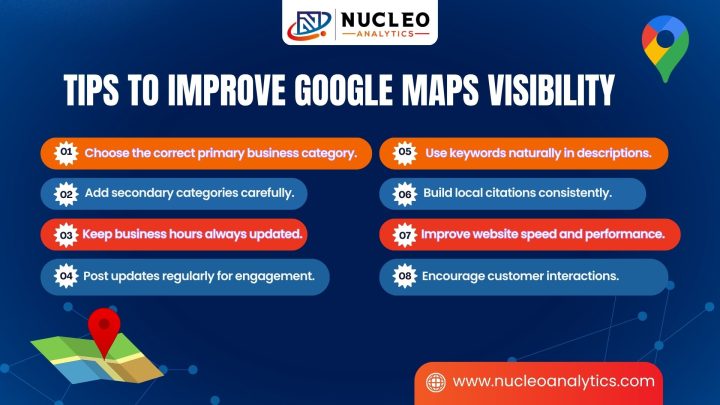
Tips To Improve Google Maps Visibility

Small improvements create a strong impact over time.
Useful tips include:
- Choose the correct primary business category.
- Add secondary categories carefully.
- Keep business hours always updated.
- Post updates regularly for engagement.
- Use keywords naturally in descriptions.
- Build local citations consistently.
- Improve website speed and performance.
- Encourage customer interactions.
These small actions improve ranking strength gradually.
Conclusion: Strong Optimization Builds Strong Visibility
Business visibility depends on structure, accuracy, and consistency. Weak profiles lose ranking strength quickly.
Fixing visibility needs setup and continuous optimization. Each step boosts search performance over time.
Using optimize google business profile correctly builds a strong foundation for long-term visibility success.
Strong systems create stable ranking and consistent growth. Businesses achieve better results through structured optimization efforts. At Nucleo Analytics, we build these systems for lasting results. We focus on long-term growth and steady visibility improvements. Our approach helps businesses gain more calls and customers consistently.