

You launch your app. It freezes. Or worse, it crashes. Users open it once, maybe twice, then delete it. No warning. No feedback. Just gone.
App crashes, random bugs, slow loading screens, and battery drain. These things do not just annoy users. They quietly kill growth. A lot of teams think a few glitches are normal. They are not. Not anymore.
People expect speed. They expect stability. If your app lags for three seconds, they assume something is broken. If it crashes once, they assume it will crash again.
This is where App Performance stops being a technical afterthought and becomes survival. It is directly tied to your app’s overall technical performance, whether teams admit it or not. Working with experienced teams like Nucleo Analytics for mobile application development can help businesses build apps that are faster, more stable, and reliable for users.
Why App Crashes Hurt More Than You Think?
A crash is not just a technical failure. It is a trust failure. When users experience repeated crashes, uninstall rates go up. Ratings go down. Support tickets pile up. Revenue dips quietly.
And here is the frustrating part. Most crashes are preventable.
They usually come from:
- Memory leaks
- Unhandled exceptions
- Poor device compatibility testing
- Backend timeouts
- Third-party SDK conflicts
Teams often rush releases. New features get priority. Stability gets pushed to “next sprint.”
That delay costs real users.
Strong marketing strategies like App Store Optimization can bring traffic to your app listing. Paid campaigns might drive installs. But if the app crashes on launch, none of that matters.
At Nucleo Analytics, we often see that crash data directly correlates with weak technical performance foundations.
Common Bugs That Destroy App Performance
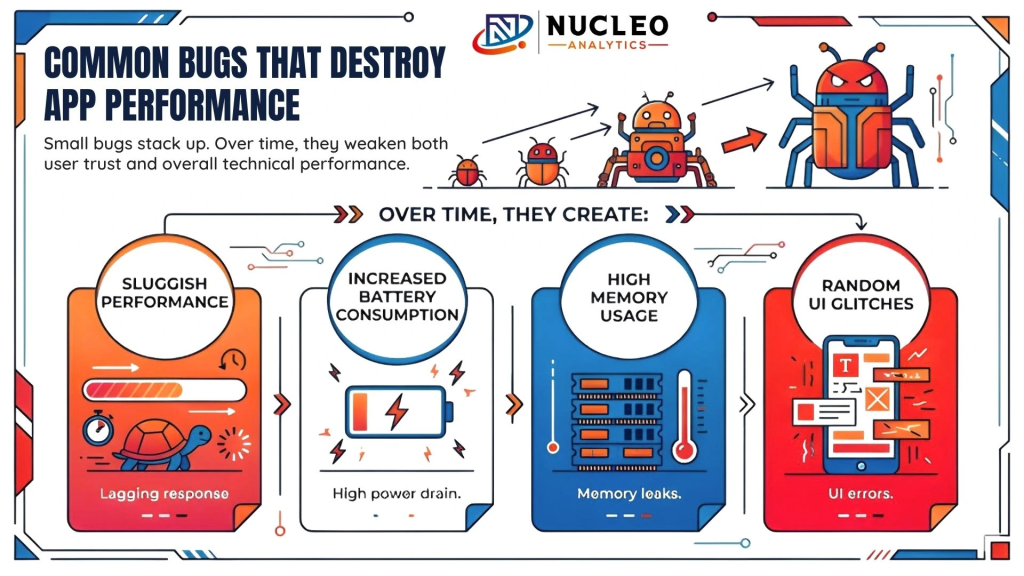
Not every issue is dramatic. Some are subtle.
A button that stops responding. A screen that loads more slowly over time. A background process that keeps running even after users close the app.
Small bugs stack up. Over time, they weaken both user trust and overall technical performance.
Over time, they create:
- Sluggish performance
- Increased battery consumption
- High memory usage
- Random UI glitches
Users may not know the technical reason. They just feel the friction. Tracking these issues consistently is part of maintaining long-term App Performance. It is not about perfection. It is about catching problems before users notice them.
Performance Issues That Slowly Kill Growth
Crashes are obvious. Performance issues are quieter. Slow loading screens and poor core web vitals performance can severely affect user experience. Delayed API responses. These things do not explode. They erode.
App performance problems often come from:
- Heavy image assets
- Poor database queries
- Inefficient rendering cycles
- Excessive background network calls
- Bloated codebases
Developers sometimes focus only on functionality. If the feature works, ship it. But if it works slowly, users still leave.
Monitoring tools, structured logging, and consistent review cycles matter. Good App Performance and strong technical performance require ongoing measurement, not just launch day testing.
The Real Causes Behind Recurring Crashes
When crashes keep happening, there is usually a pattern. Here are common root causes:
1. Memory Mismanagement
Unreleased objects. Large assets are not optimized. Background services are running endlessly. Memory issues are silent until they are not. Then the app shuts down.
2. Device Fragmentation
Android especially has thousands of device variations. Screen sizes, OS versions, hardware differences. Without broad testing, bugs slip through and weaken technical performance stability.
3. Weak Error Handling
If exceptions are not handled properly, the app collapses instead of recovering. It is not always complex. Sometimes one unguarded line of code does the damage.
4. Backend Instability
Apps rely on servers. If APIs respond slowly or unpredictably, the front end suffers. Performance is not just the mobile side. It is infrastructure too. This is why reviewing technical data alongside analytics dashboards helps identify user drop-off patterns tied to performance spikes.
How to Diagnose App Performance Problems Properly?
Guessing does not work. You need structured tracking.
Start with:
- Crash reporting tools
- Performance monitoring dashboards
- Real user monitoring
- Load testing
- Device testing across versions
Look for patterns. Not isolated incidents. If crashes spike after a release, the issue likely sits in recent code. If slowdowns increase with user growth, the backend might not be scaling.
Proper App Performance management means using data, not assumptions, and continuously improving technical performance metrics.
Fixing Bugs Before Users Notice
Reactive fixing is expensive. Proactive testing is cheaper.
Here is what helps:
- Automated testing suites
- Beta user testing groups
- Continuous integration checks
- Code reviews focused on stability
- Regular performance audits
Teams sometimes ignore minor bugs because they seem harmless. They are not. Five minor issues together feel like one major problem to users. User retention depends far more on a smooth experience and technical performance stability than acquisition alone.
Build a More Reliable, Scalable App That Users Trust
The Role of Code Optimization in App Performance
Optimization is not just about speed. It is about efficiency.
Code should:
- Avoid unnecessary loops
- Minimize API calls
- Cache intelligently
- Use lightweight assets
- Clean unused libraries
Bloated apps consume more memory. They crash more often. They drain the battery faster. Clean architecture improves long-term App Performance, strengthens overall technical performance, and reduces technical debt. You do not fix performance once. You maintain it.
Backend Stability is Half the Battle
Many apps look fine on the surface but rely on unstable backends. If servers lag, users wait. If databases lock under load, screens freeze. Scaling infrastructure matters. So does monitoring server response time.
Even polished marketing campaigns cannot compensate for backend bottlenecks. Performance must be treated as end-to-end technical performance.
Why Testing on Real Devices Still Matters?
Simulators help. There are not enough.
Real devices reveal:
- Network variability
- Hardware limitations
- OS specific bugs
- Memory constraints
Testing only on high-end devices gives a false sense of stability. True App Performance requires testing in realistic conditions. Slow networks. Older phones. Limited storage. Because those users exist. And they download apps too.
App Performance and User Retention
Retention is fragile. One crash can push a user away permanently. Studies consistently show that users abandon apps after repeated failures. They rarely report issues. They just leave.
Retention improves when:
- Load time stays under two seconds
- Crashes stay below one percent
- Updates do not introduce regressions
- Support responses are quick
Performance directly affects ratings. Ratings affect installs. Installs affect growth. Marketing teams may focus on traffic metrics, but stability and technical performance quietly determine lifetime value.
When to Bring in Professional Help?
Some teams can handle optimization internally. Others get stuck.
Signs you may need outside help:
- Crash rates remain high despite fixes
- Users complain about lag consistently
- Performance worsens as you scale
- The dev team is overloaded
At Nucleo Analytics, performance-first audits focus on strengthening both App Performance and technical performance across frontend, backend, and infrastructure. It is not about replacing your developers. It is about strengthening the system.
Building a Long-Term Performance Strategy
Quick fixes help. Strategy lasts. A sustainable approach includes:
- Regular performance audits
- Release testing checklists
- Backend load simulations
- Crash log reviews every sprint
- Performance benchmarks for every update
Set performance KPIs just like revenue targets.
- Track them.
- Review them.
- Fix early.
Align technical metrics with user behavior analytics. Patterns across systems often reveal hidden technical performance issues.
Final Thoughts
App crashes and bugs are not just technical problems. They are business problems.
Users expect fast. They expect stable. They expect seamless.
When performance slips, trust slips.
Strong App Performance and optimized technical performance are not about flashy features. They are about reliability. Smooth interactions. Quiet efficiency.
Fixing performance issues takes discipline. Testing. Monitoring. Sometimes tough refactoring decisions.
But the payoff is clear.
Higher retention
Better ratings
Stronger growth
Fewer frustrated users staring at a frozen screen